Losing photos, videos, or important files from a smartphone can be frustrating. Sometimes files are deleted accidentally, the storage is formatted, or apps remove files unexpectedly. In these situations, many users try file recovery apps to restore their lost data.
One popular solution is File Recovery – Photo Recovery App, which scans phone storage and attempts to find deleted photos, videos, documents, and audio files. These apps are designed to help recover files quickly without requiring advanced technical skills.
This guide explains how the File Recovery – Photo Recovery App works, its features, pricing, safety considerations, and how to use it effectively.
Introduction
Smartphones store many important files including photos, documents, videos, and audio recordings. When files are deleted, they are not always immediately removed from the device storage. In some cases, recovery apps can scan the storage and locate traces of deleted data.
File recovery apps help users retrieve lost files caused by:
-
Accidental deletion
-
System errors
-
App crashes
-
Storage issues
-
Formatting problems

These apps scan internal storage and SD cards to identify files that may still be recoverable.
What Is File Recovery – Photo Recovery App?
Definition
File Recovery – Photo Recovery is a mobile application that scans phone storage to find and restore deleted files such as photos, videos, documents, and audio recordings.
How It Works
The app typically works using a scanning system that searches device storage for traces of deleted files.
The recovery process usually follows these steps:
-
The app scans internal storage or SD card.
-
It detects files that were deleted but not fully overwritten.
-
The app shows a preview of recoverable files.
-
Users select files and restore them.
Most apps provide both quick scan and deep scan options for better results.
Common Real-Life Use Cases
Accidental Photo Deletion
Users often delete photos by mistake while cleaning gallery storage.
Video Recovery
Important videos can be recovered if deleted recently.
Document Recovery
Work files like PDFs, Word documents, or spreadsheets may be restored.
SD Card Recovery
Files stored on external memory cards may be easier to recover.
Features Overview
| Feature | What It Does | Benefit |
|---|---|---|
| Photo Recovery | Restores deleted images | Recover memories |
| Video Recovery | Finds lost videos | Retrieve media files |
| Document Recovery | Restores PDFs & documents | Recover important files |
| Quick Scan | Fast search for recent files | Quick results |
| Deep Scan | Thorough search for older files | Higher recovery chance |
| File Preview | Preview before restoring | Select correct files |
Some apps also allow filtering files by size, date, or folder to locate specific data more easily.
Key Features
1. Deleted Photo Recovery
This feature scans phone storage for deleted image files such as:
-
JPG
-
PNG
-
Screenshots
-
Camera photos
Users can preview images before restoring them.
2. Video and Media Recovery
Many recovery apps support restoring videos and audio files including:
-
MP4 videos
-
recorded voice notes
-
music files
3. Smart Scan Technology
Recovery apps use algorithms to scan storage and identify deleted data quickly.
Two common scanning methods:
-
Quick scan – faster but limited results
-
Deep scan – slower but more thorough
4. Preview Before Restoring
Users can preview recoverable files before restoring them, helping avoid restoring unnecessary data.
5. Simple Interface
Most recovery apps are designed with a beginner-friendly interface, allowing users to restore files with just a few taps.
Price in India
Most file recovery apps use a freemium model.
Free Version
The free version usually includes:
-
Basic scanning features
-
Limited file recovery
-
Advertisements
Premium Version
Paid versions may offer:
-
Unlimited recovery
-
Faster scanning
-
Ad-free experience
-
Advanced recovery tools
Free vs Paid Comparison
| Feature | Free Version | Premium Version |
|---|---|---|
| File scanning | Basic | Advanced |
| Recovery limit | Limited | Unlimited |
| Ads | Yes | No |
| Deep scan | Limited | Full access |
Is the App Safe to Use?
Many file recovery apps are safe if downloaded from trusted app stores. However, users should still be careful.
Security tips include:
-
Download apps from official stores only
-
Check user reviews and ratings
-
Avoid apps requesting unnecessary permissions
Security experts warn that some fake recovery apps may contain malware, so users should verify the developer before installing.
Performance and Limitations
File recovery apps can be helpful, but they have some limitations.
Works Best When
-
Files were deleted recently
-
Data has not been overwritten
-
Files were stored on SD card
May Not Work When
-
Files were deleted long ago
-
Storage has been overwritten
-
Android system permanently removed the data
Some Android versions automatically remove deleted files after a period, making recovery difficult.
How to Use File Recovery – Photo Recovery App
Step 1: Install the recovery app from the app store.
Step 2: Open the app and grant storage permission.
Step 3: Select the type of file to recover (photos, videos, documents).
Step 4: Run a quick scan or deep scan.
Step 5: Preview and select files to restore.
After recovery, the files are usually saved to a new folder in the phone storage.
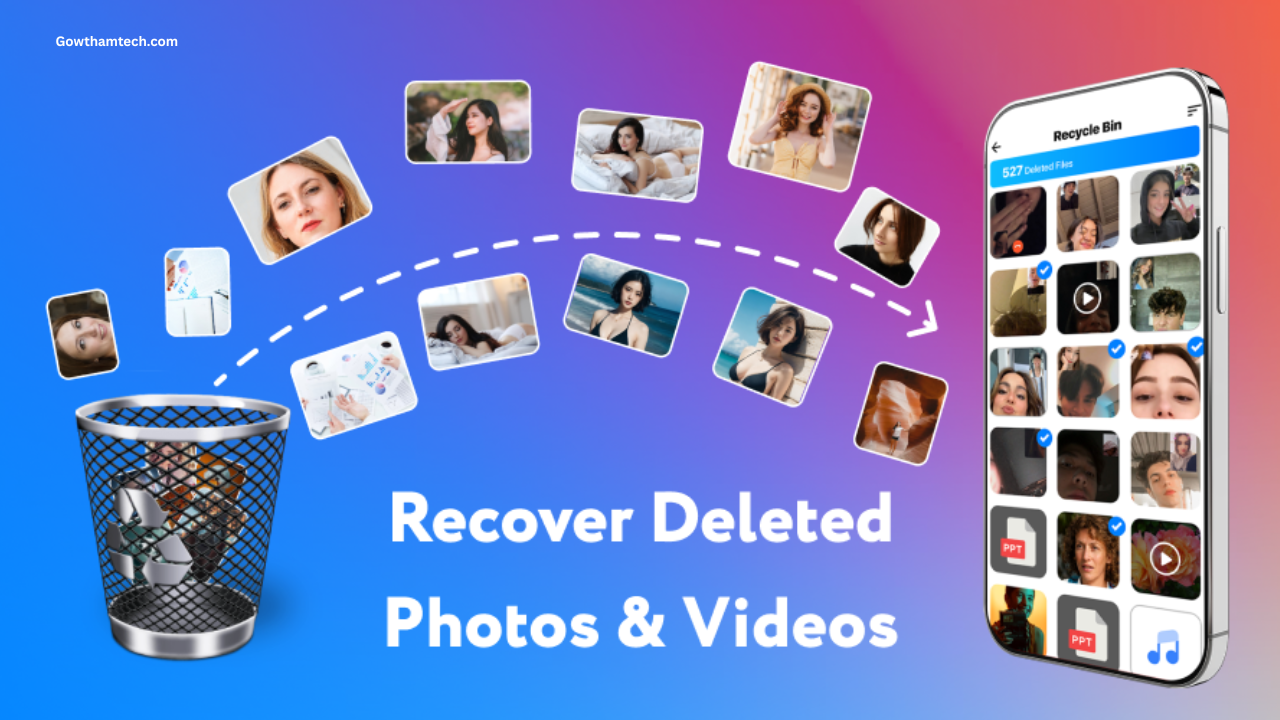
The image above shows the interface of File Recovery – Photo Recovery App for reference.
Download Section
To download the app:
-
Open the Google Play Store.
-
Search for File Recovery – Photo Recovery.
-
Check ratings, reviews, and developer details.
-
Install the app.
-
Run a scan to find recoverable files.
Best Alternative Apps
If the recovery app does not work for your device, you can try other recovery tools.
Popular alternatives include:
-
DiskDigger Photo Recovery
-
Dumpster Recycle Bin
-
Dr.Fone Data Recovery
-
EaseUS Data Recovery
-
File Miner Recovery
Some tools also provide cloud backup integration to prevent data loss.
Frequently Asked Questions
Is File Recovery – Photo Recovery safe to use?
Yes, if downloaded from official sources and used with proper permissions.
Does it work without internet?
Yes. Most recovery apps work offline because they scan the phone storage directly.
What is the price in India?
Many recovery apps are free with optional premium features.
Is it worth using?
It can be useful for recovering recently deleted files, but results depend on how much data has been overwritten.
Final Verdict
File Recovery – Photo Recovery apps provide a convenient way to attempt restoring deleted photos, videos, and documents from Android devices. These apps are easy to use and often work without root access.
They are best suited for:
-
recovering recently deleted files
-
restoring images from SD cards
-
retrieving lost documents
However, recovery success is not guaranteed, especially if files were deleted long ago or overwritten.
Using cloud backup services and enabling recycle-bin features in gallery apps can help prevent permanent data loss in the future.




Photo recovery
Photo recovery
Bro today delete my photos please rekavari the photos
Photo Recovery
photo
Please help me photo recovery
Photo recovery
Photo recovery
Photos deleted recovery
Photo
I recovery my photos
I like a app
Photo
My photo recovery
Photo and video recovery
Photo recovery
Kethusan
Photo recovery
Photo and video recovery
Pottos recovery
Photo and video
Video
Photo recover
Minha
Photo recovery
Photo recovery
Suganya
Work no
Delete Panna photos
Photo recovery
Delete photos
Ok
Paoto
super
super
Photo recovery
Photo and video
Kala
❤️❤️❤️
Deleted photos
Photo recovery
Delete photo
Photo recovery
Photo recover
Photo recovery
Poto plz
Vitiyo
Photo recovery
Photo recovery file recovery plzz
Photo recovery
Photo recovery
Vidios delit and photo
Please photo recovery