Video content is growing faster than ever in 2026. Whether you’re creating YouTube videos, Instagram Reels, or short clips for WhatsApp Status, having the right video editing app on your Android phone makes a huge difference.
The good news? You don’t need a laptop or expensive software anymore. There are many powerful free video editing apps for Android that offer professional-level features directly on your smartphone.
In this article, we’ll explore the best free video editing apps for Android in 2026, their features, pros and cons, and which one is best for your needs.
What Makes a Good Video Editing App?
Before choosing an app, here are important things to consider:
-
Easy-to-use interface
-
No heavy watermark (or removable)
-
Good export quality (1080p or 4K)
-
Built-in music and effects
-
Stable performance (no crashing)
-
Fast rendering speed
Now let’s look at the top apps.
1. CapCut – Best Overall Free Video Editor
CapCut is one of the most popular video editing apps in 2026. It is widely used by content creators for editing short-form videos.
Key Features:
-
No watermark (in most exports)
-
Advanced transitions & effects
-
AI background removal
-
Auto captions
-
4K export support
-
Trending templates for Reels & Shorts
Pros:
-
Beginner friendly
-
Powerful editing tools
-
Frequent updates
-
Large music library
Cons:
-
Requires internet for some features
-
Slightly heavy on low-end phones
Best For:
YouTube Shorts, Instagram Reels, TikTok videos
2. VN Video Editor – Lightweight & Powerful
VN Editor is a clean and professional video editing app without annoying ads.
Key Features:
-
Multi-layer timeline
-
No watermark
-
Speed curve editing
-
Advanced color grading
-
4K export
Pros:
-
No ads
-
Professional controls
-
Smooth performance
Cons:
-
Slight learning curve
-
Limited built-in music
Best For:
Intermediate editors who want more control
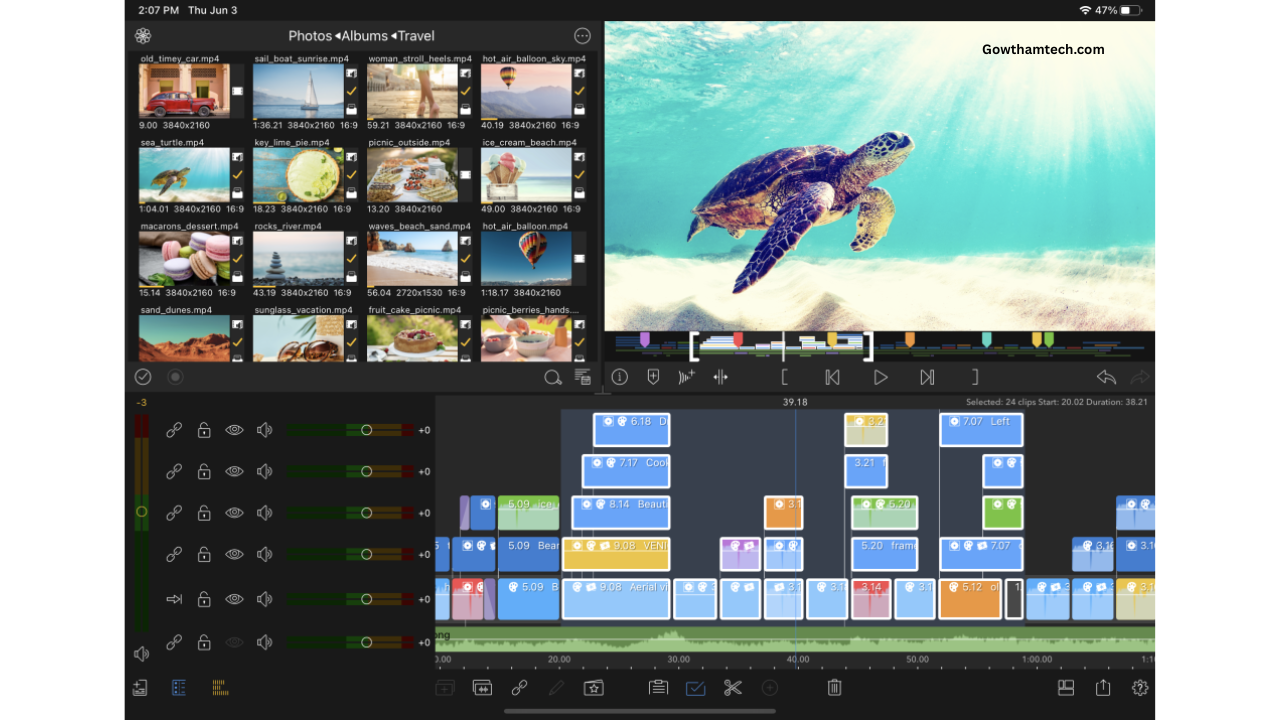
3. KineMaster – Feature Rich Editing App
KineMaster has been popular for years and still remains strong in 2026.
Key Features:
-
Multi-layer video editing
-
Chroma key (green screen)
-
Voice-over recording
-
Blending modes
-
Asset store
Pros:
-
Professional features
-
Good export quality
-
Great for YouTube videos
Cons:
-
Watermark in free version
-
Some premium assets require subscription
Best For:
YouTube creators and educational videos
4. InShot – Best for Quick Social Media Edits
If you want simple editing for Instagram or WhatsApp videos, InShot is a great choice.
Key Features:
-
Simple trim & cut tools
-
Filters and effects
-
Background blur
-
Music & sound effects
-
Text and stickers
Pros:
-
Easy to use
-
Great for beginners
-
Fast export
Cons:
-
Watermark in free version
-
Limited advanced features
Best For:
Beginners and social media users
5. YouCut – Best No Watermark Editor
YouCut is known for offering watermark-free exports in the free version.
Key Features:
-
Video trimming & merging
-
No watermark
-
Video compressor
-
Music addition
-
Filters & transitions
Pros:
-
Free export without watermark
-
Simple interface
-
Lightweight app
Cons:
-
Limited advanced tools
-
Basic transitions
Best For:
Basic editing without watermark
Comparison Table
| App Name | Watermark | Best For | Difficulty Level |
|---|---|---|---|
| CapCut | No (mostly) | Reels & Shorts | Easy |
| VN Editor | No | Professional edits | Medium |
| KineMaster | Yes (Free) | YouTube videos | Medium |
| InShot | Yes (Free) | Quick social edits | Easy |
| YouCut | No | Basic edits | Easy |
Which App Should You Choose?
It depends on your needs:
-
For Instagram Reels → CapCut
-
For YouTube long videos → KineMaster or VN
-
For beginners → InShot
-
For no watermark editing → YouCut
-
For advanced control → VN Editor
If you’re just starting out, CapCut is the best all-rounder.
Are These Video Editing Apps Safe?
Most of these apps are available on the Google Play Store and are generally safe to use. However:
-
Always download from official app stores
-
Avoid downloading mod or cracked versions
-
Check app permissions before installing
-
Keep your app updated
Using original apps helps protect your privacy and device security.
Tips to Improve Video Quality on Android
Even with the best editing app, follow these tips:
-
Shoot videos in good lighting
-
Record in 1080p or higher
-
Use a tripod for stability
-
Avoid overusing effects
-
Keep videos short and engaging
Good editing plus good recording = professional result.
Frequently Asked Questions (FAQ)
1. Which is the best free video editing app without watermark?
YouCut and VN Editor offer watermark-free exports in most cases.
2. Is CapCut safe to use?
Yes, CapCut is generally safe if downloaded from the official Play Store.
3. Which app is best for YouTube videos?
KineMaster and VN Editor are great for YouTube creators.
4. Can I edit 4K videos on Android?
Yes, apps like CapCut, VN Editor, and KineMaster support 4K export (depending on your device).
5. Which app is best for beginners?
InShot is easiest for beginners.
Final Verdict
In 2026, Android users have many powerful free video editing apps available. Whether you’re a beginner or an advanced content creator, there’s an app that fits your needs.
For most users, CapCut offers the best balance of features, ease of use, and export quality. However, if you want watermark-free editing, YouCut or VN Editor are excellent alternatives.
Choose the app that matches your editing style and start creating amazing videos today.


Photo
Very usefull
Apps
Photo recovery
Photo recovery
Karthik
Hide apps
Photo recovery
Videos recovery
Photo and video
Muthu email
Photo recovery
Photo recovery
Alinthu pola photos thruppi perathum
Alinthu pona photos ellaththaiyum pera vendum
Neengal than help pannanum pls
Photos vendum
delit photo
Photo recovery app
Yhzeel
Photo rekeveri
delete photos
delete photo send pannunga
Good
Gowtham teach. Com
Delete ana photo
Delete photos
Delete ஆனா photos எடுக்கவேன்டும்
Instagram
Instagram only hide
I like this
Muralitharan
Veera
My name is kaviya
Hide Apps
Gowtham.com
Insta gram hide
Photo recovery
App hide
Photo received All photo received
Photo
Photo recovery